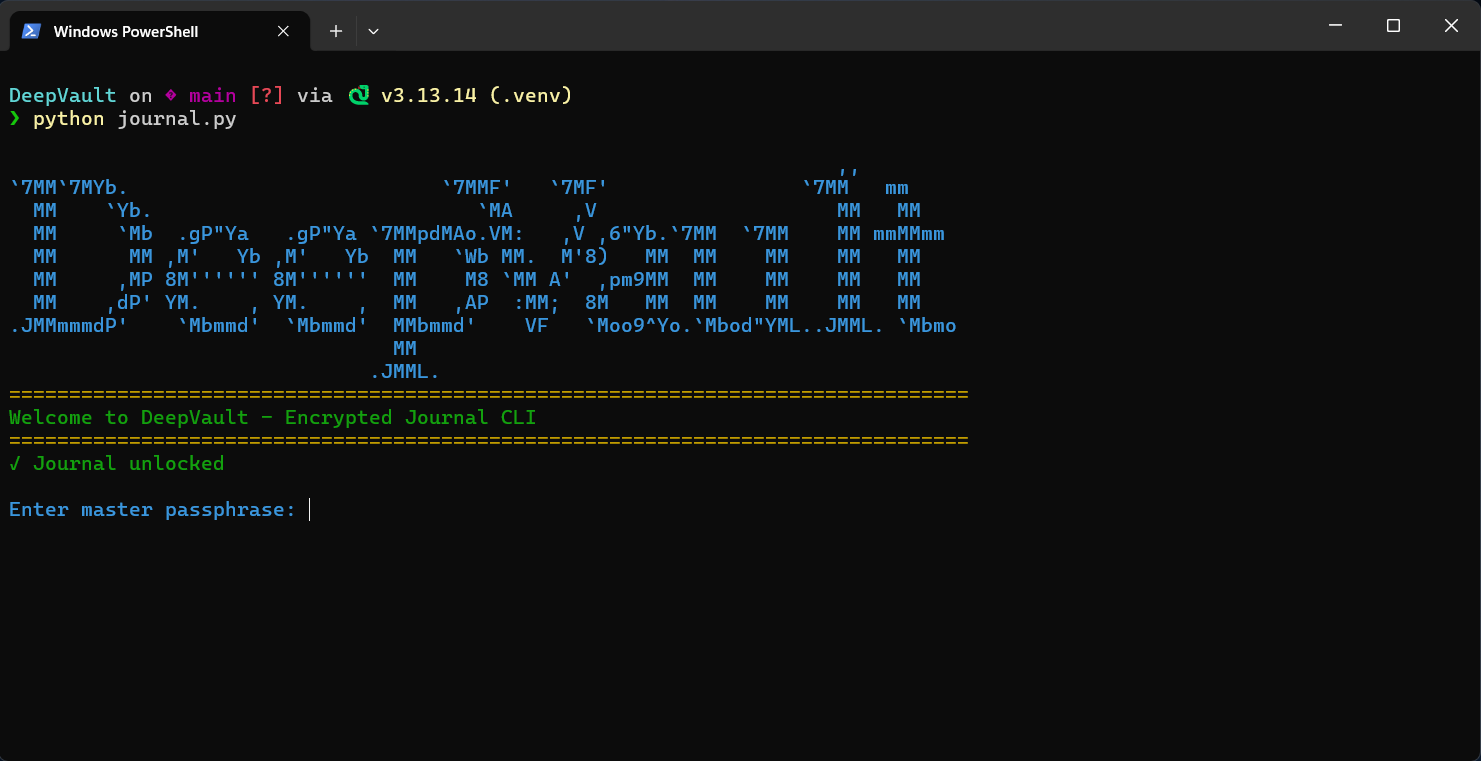
Summer break is in full swing and while school is on hold, I have had a lot of free time at my disposal. I did not want it to all go to waste so I decided to put some of the Python I learned in school to use. My goal was to pick a project that was fun but also challenging and would help me learn something new.
One of the things we learned last semester was how to design a menu inside a command-line interface using Python. This gave me the idea of creating a journaling app that runs completely within the command line. And, since I am studying cybersecurity, I decided to add a layer of encryption to keep the user's entries secure. That is how I came up with the idea for DeepVault.
DeepVault is a command-line encrypted journal application written in Python. The main goal of this app is to let users create, search, view, and delete private journal entries while keeping all data encrypted at rest using modern cryptography.
I believe this project is a strong example of building a practical cybersecurity-focused Python app because it combines:
- AES-256-GCM authenticated encryption
- PBKDF2 key derivation with a high iteration count
- Modular architecture for crypto, storage, UI, and command orchestration
- A usable terminal interface with safe error handling
Installation
You can download or view the source code for DeepVault from my GitHub here.
Make sure Python 3.8 or above is installed, then install dependencies (I recommend using a virtual environment).
pip install -r requirements.txt
To run the app:
python journal.py
Project Files and Their Roles
- journal.py: Main CLI entry point and command loop
- storage.py: Journal persistence with add, delete, search, and get operations
- crypto_utils.py: Key derivation and AES-GCM encrypt and decrypt helpers
- config.py: Paths and cryptographic constants
- ui.py: Terminal prompts, styling, banner, and display helpers
- requirements.txt: Third-party dependencies
A part-by-part approach for building DeepVault
Part 1: Defining configuration constants and file paths
The app starts with central settings in config.py:
- Where the encrypted journal file is stored
- Salt length for PBKDF2
- IV length for AES-GCM
- PBKDF2 iteration count
This keeps cryptographic and filesystem values consistent across the entire project.
JOURNAL_DIR = Path.home() / ".encrypted_journal"
JOURNAL_PATH = JOURNAL_DIR / "journal.enc"
SALT_LENGTH = 32
IV_LENGTH = 16
ITERATIONS = 480000
Part 2: Implementing cryptographic primitives
In crypto_utils.py, the app derives a 256-bit key from a user passphrase using PBKDF2-SHA256, then encrypts and decrypts data with AES-256-GCM.
Core functions:
- derive_key(passphrase, salt)
- generate_salt()
- generate_iv()
- encrypt_data(plaintext, key)
- decrypt_data(ciphertext_blob, key)
Why this matters:
- PBKDF2 slows brute-force attempts against weak passphrases
- AES-GCM provides confidentiality and integrity through tamper detection
Part 3: Building the storage layer
In storage.py, the application handles all journal file operations:
- initialize_journal() creates a new journal structure
- save_journal(journal, passphrase) encrypts and writes journal data
- load_journal(passphrase) reads and decrypts from disk
- add_entry(), delete_entry(), search_entries(), and get_entry_by_id() manage entries
The file format strategy is:
- Salt is stored as the first raw bytes in the file
- The JSON journal payload is encrypted
- Decryption uses the same passphrase and extracted salt
This design ensures the journal content is never stored in plaintext on disk.
Part 4: Designing the terminal UI helpers
The UI layer in ui.py manages all user-facing text and formatting:
- Startup banner and decrypting animation
- Hidden passphrase prompt
- Command menu prompt
- Entry list formatting and detailed entry rendering
- Structured success, info, and error messages
Separating UI from business logic keeps command handlers clean and easier to test.
Part 5: Adding command handlers in the main entry file
In journal.py, command-specific functions handle user actions:
- cmd_new creates a new entry
- cmd_list lists entries
- cmd_view displays a selected entry
- cmd_search performs full-text search
- cmd_delete removes an entry with confirmation
- cmd_panic securely overwrites and deletes the journal file
The new-entry flow is multiline-friendly and includes validation for empty title and body.
Part 6: Creating the main command loop and lifecycle
The main function in journal.py runs this lifecycle:
- Show banner and startup animation
- Prompt for passphrase
- Load existing journal or create a new one
- Enter an interactive command loop
- Process command arguments and dispatch handlers
- Gracefully handle interruption and runtime exceptions
Supported commands:
- new
- list
- view <entry_id_or_prefix>
- search <query>
- delete <entry_id_or_prefix>
- panic
- exit or quit
How encryption and storage work together
DeepVault follows this data flow:
- User enters passphrase
- Salt is generated, or loaded, from journal metadata
- PBKDF2 derives a 32-byte key
- Journal JSON is encrypted with AES-GCM and a random IV
- File is stored as salt plus an IV, ciphertext, and tag blob
On decrypt:
- Read salt from file header
- Derive key using passphrase and salt
- Attempt AES-GCM decrypt
- If authentication fails, return an invalid passphrase or corruption error
Example command flow
python journal.py
Enter master passphrase: ********
Journal decrypted successfully!

deepvault> new
deepvault> list
deepvault> view 7d2c9a1b
deepvault> search meeting
deepvault> delete 7d2c9a1b
deepvault> exit
Security highlights in this implementation
- Uses authenticated encryption with AES-GCM
- Uses per-journal salt and per-encryption IV
- Keeps passphrase out of persistent storage
- Validates decryption via the authentication tag
- Supports panic wipe with overwrite before deletion
Practical limitations to understand
- Security still depends on passphrase quality
- In-memory plaintext exists while the app is running
- Overwrite-based secure delete may be limited on some filesystems and SSDs
- No built-in backup or passphrase recovery
How this project assists with learning Python
DeepVault is a practical project that helped me understand:
- Applied cryptography with Python
- File I/O and structured JSON persistence
- Clean module boundaries
- CLI design and exception handling
- User experience in terminal-based apps
It demonstrates how to build software that is both usable and security-aware.
Conclusion
DeepVault was a fun yet challenging project that combines modern cryptographic practices with a clear modular architecture. In my experience, the more modular the code, the more versatile it is. If you want to learn how secure local-first Python applications are designed, a project like this is an excellent starting point!